








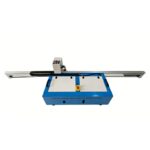

The Importance of Maintaining a Vertical Wall Printer
Why Is Regular Maintenance Crucial for Your Vertical Wall Printer?
A vertical wall printer is a high-tech digital tool built to produce sharp prints on many different surfaces. Like any precision machine, it needs steady care to stay reliable over the years.
Routine upkeep lengthens the life of your equipment. It reduces wear on important parts like the printhead, encoder strip, and rail system. Our Epson I1600 printheads achieve up to 2880 dpi with a lifespan of 4000㎡, ensuring sharp images with fine details—a capability that relies on clean nozzles and proper ink flow. Steady care also keeps prints consistent, avoids sudden failures, and prevents delays on tight deadlines.
What Are the Consequences of Poor Maintenance?
Skipping maintenance creates real problems. Ink dries inside nozzles, colors look off, and prints lose sharpness. Dirt or misalignment causes uneven movement and can ruin the printhead.
If the printhead is broken or the ink is unevenly discharged, use an ink absorber to re-drain the ink. Ignoring small issues quickly turns into expensive repairs and long periods with the machine down—problems you can easily prevent.

Daily and Weekly Maintenance Best Practices
What Should You Check Before Each Printing Session?
Before starting any job, look over the main parts. Check the print head for dried ink or buildup that blocks the spray. Watch nozzle performance before printing. You need to absorb ink and measure the status of the printhead. Make sure ink levels are good and cartridges sit firmly.
Inspect the rails for dust or anything that blocks smooth travel. Check whether the distance between the spray and the wall is 3-5mm and then enter the print location on BetterPrinter. Even small debris leads to jerky motion or crooked prints.
Weekly Tasks to Keep Your Wall Printer in Optimal Condition
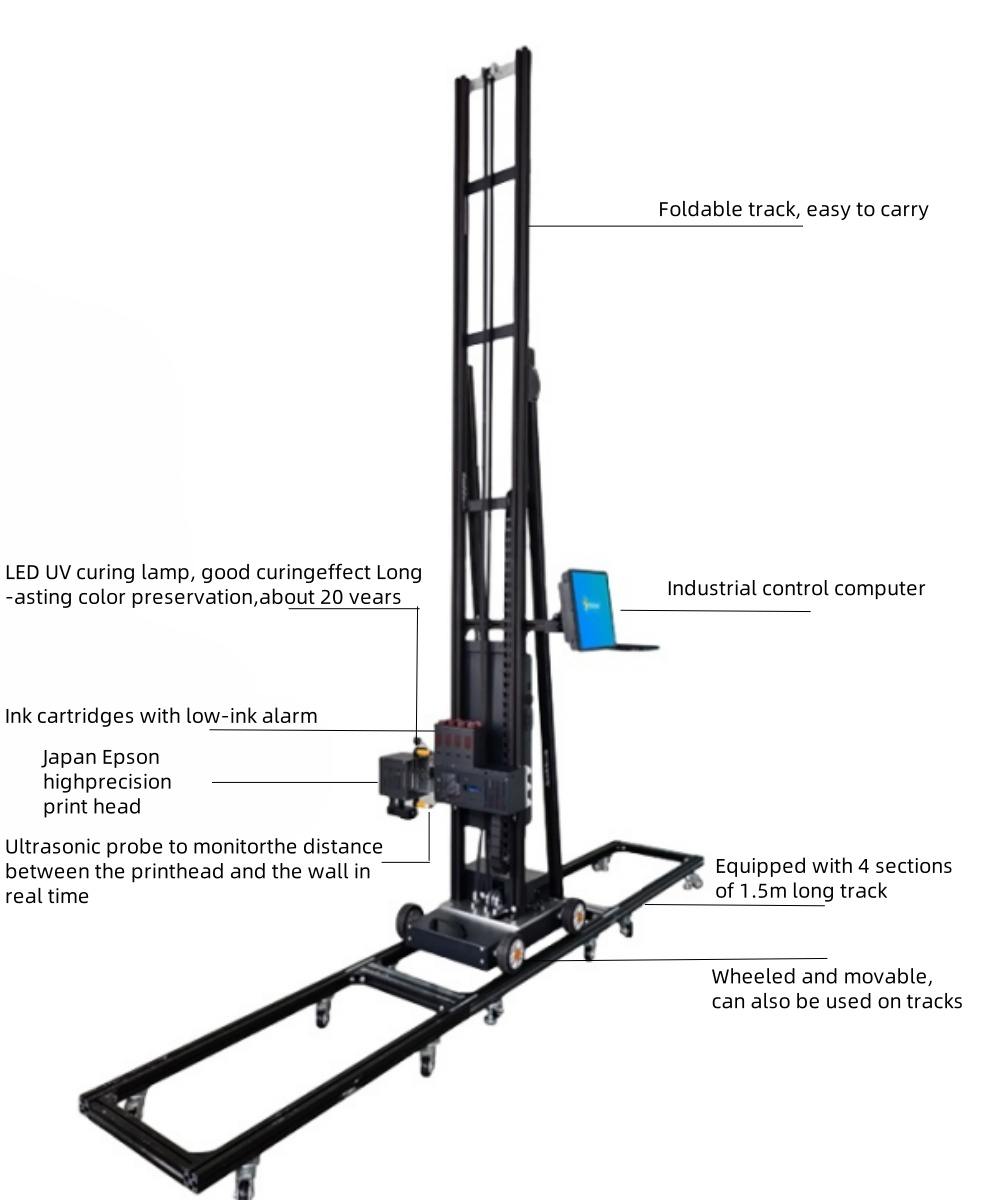
Once a week, go deeper. Lubricate rails and lead screws with the recommended products. The printer is equipped with high precision ultrasonic sensor which can automatically detect the distance during printing. Proper lubrication keeps everything quiet and reduces stress.
Run a nozzle test and sample print. This catches small problems before they ruin a big job.
Monthly and Long-Term Maintenance Strategies
How Can You Prepare Your Printer for Long-Term Use?
Every month, run full system diagnostics with the built-in tools. Keep firmware current—updates often fix bugs and add features.
Our machines operate on standard household AC voltage between 100 and 380V. Stable power protects the electronics.
Storage Tips for Periods of Inactivity
When the printer sits unused for over a week, flush the lines with cleaning solution to stop ink from hardening. When you’re not using your wall printer machine 3D head, soak a paper towel with cleaning fluid, cover the print head surface and put a lid on the print head cover.
Keep the unit in a clean, climate-controlled space away from dust and sunlight. Use the protective caps on print heads.
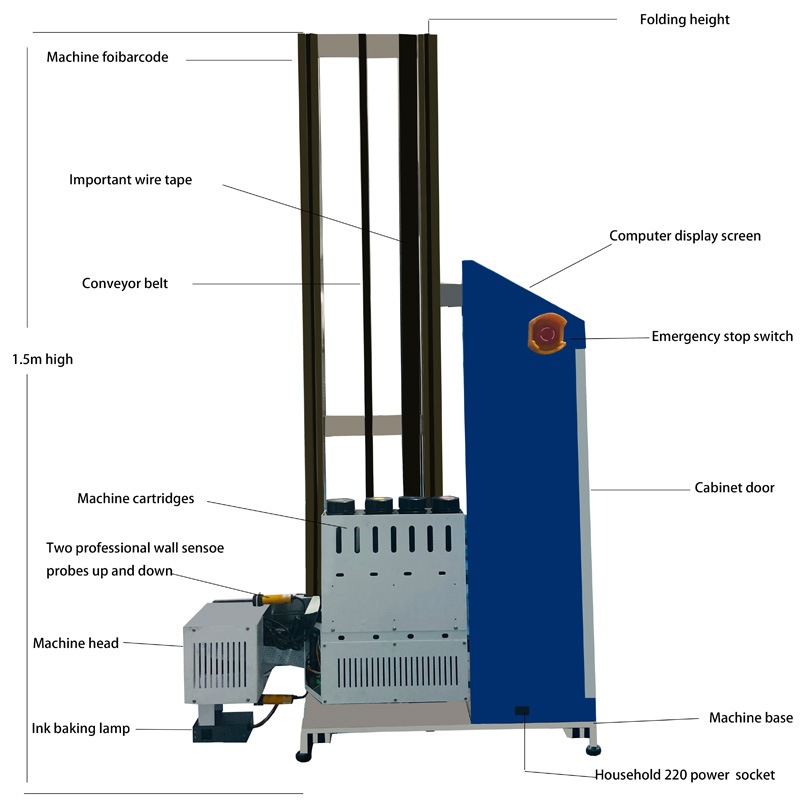
Common Issues and How to Troubleshoot Them
Why Is My Vertical Wall Printer Producing Faded or Uneven Prints?
Clogged nozzles or wrong distance to the wall are the usual culprits. What should I do if the printhead is clogged? Cover the printhead with a wet tissue and cleaning solution. Run cleaning cycles or manually wipe the head.
Sometimes the surface detection is off. Recalibrate the wall distance before printing.
What Should I Do If My Printer Shows Error Codes?
Error codes often point to sensor or connection problems. Recalibrate sensors through the software menu.
For communication faults, check cables and restart both printer and computer.
Cleaning Techniques That Protect Your Investment
How Do You Safely Clean Delicate Components Like Print Heads?
Always turn the power off first. Use only lint-free cloths and approved cleaning solutions. After printing, you only need to use our cleaning fluid to maintain the nozzle, and no additional maintenance is required.
Maintaining the Exterior and Movement System of Your Wall Printer
Wipe the body, belts, and rails with dry microfiber cloths. Never let water sit on metal parts. Store the printer covered when not in use.
Operator Training and Workflow Optimization
Why Is Operator Knowledge Key to Effective Maintenance?
Trained users spot trouble early—odd noises, color shifts, or slight misalignment. Quick action stops small issues from becoming big repairs.
Correct habits like starting from a calibrated position reduce strain on motors and rails.
How Can You Integrate Maintenance Into Daily Workflow?
Build simple routines: a short checklist at startup and shutdown, weekly cleaning reminders, and a log for any odd behavior. Even a phone reminder works.
Introducing Hanjie’s Vertical Wall Printer Solutions
ما الذي يجعل هانجي’s Wall Printers Stand Out in Terms of Durability and Support?
At Hanjie we build machines from industrial-grade parts meant to last in tough conditions. All products use cutting-edge technology and high-quality components to ensure clear, colorful and durable printed images while maintaining operational stability across complex environments.
Our wall printer machines’ modular design allows heights up to 3 meters with unlimited width using extendable tracks. This flexibility makes them perfect for all kinds of jobs, but it also requires regular attention.
Our wall printers assemble fast—one person can set up in about 10 minutes. Models like the HJ-725 with dual Epson heads reach 2880 DPI and print twice as fast.
How Does Hanjie Support Its Customers in Maintaining Their Printers?
We supply detailed manuals, step-by-step videos, and free lifetime software updates. Plus: 24/7 WhatsApp technical support, remote engineer guidance/video demonstrations.
Photograph damaged parts for free replacement, no return required (including track mounting parts, ink cartridges, and other consumable parts).You’re never stuck.
الأسئلة الشائعة
Q: How often should I clean my vertical wall printer’s nozzles?
A: Nozzles should be checked daily, especially before each printing session. If clogs are detected, perform a manual cleaning cycle.
Q: Can I use third-party inks in my wall printer without affecting maintenance needs?
A: It’s generally not recommended. Third-party inks may not match viscosity standards, leading to clogs or inconsistent flow. Always use ink approved by your printer’s manufacturer.
Q: What’s the best way to store my vertical wall printer if I won’t use it for an extended period?
A: Flush out all ink using a cleaning solution, cap off the print heads securely, power down completely, and store in a cool, dry environment away from dust or direct sunlight.